 NimbleMap
Workflow 3 · Free
Walled cities of China, 1866
In 1866 almost every seat of government in China, from the capital down to county towns and garrison posts, sat inside a wall. This example maps 1,789 of them. You will lay them over satellite imagery, find the biggest, keep only the provincial capitals and make a map to share.
-
Open the example
Click Examples on the welcome card (or File › Open Example) and choose Walled cities of China, 1866. The card reads 1,789 areas · walled cities 1866.geojson; each area is the land inside one city wall.
The first line on the card is an assumption: If these came from a Chinese map app (Amap, Tencent or Baidu), they may sit a few hundred meters off. These outlines were drawn on GPS coordinates, so leave them as they are. With your own data from a Chinese map app, click Compare to see both positions; see GCJ-02.
-
Switch to the satellite basemap
Click the basemap button at the bottom right of the map (the folded-map icon, Basemap) and choose Satellite. North China’s plain, mountains and coast appear in NASA’s Blue Marble imagery, with place names on top.
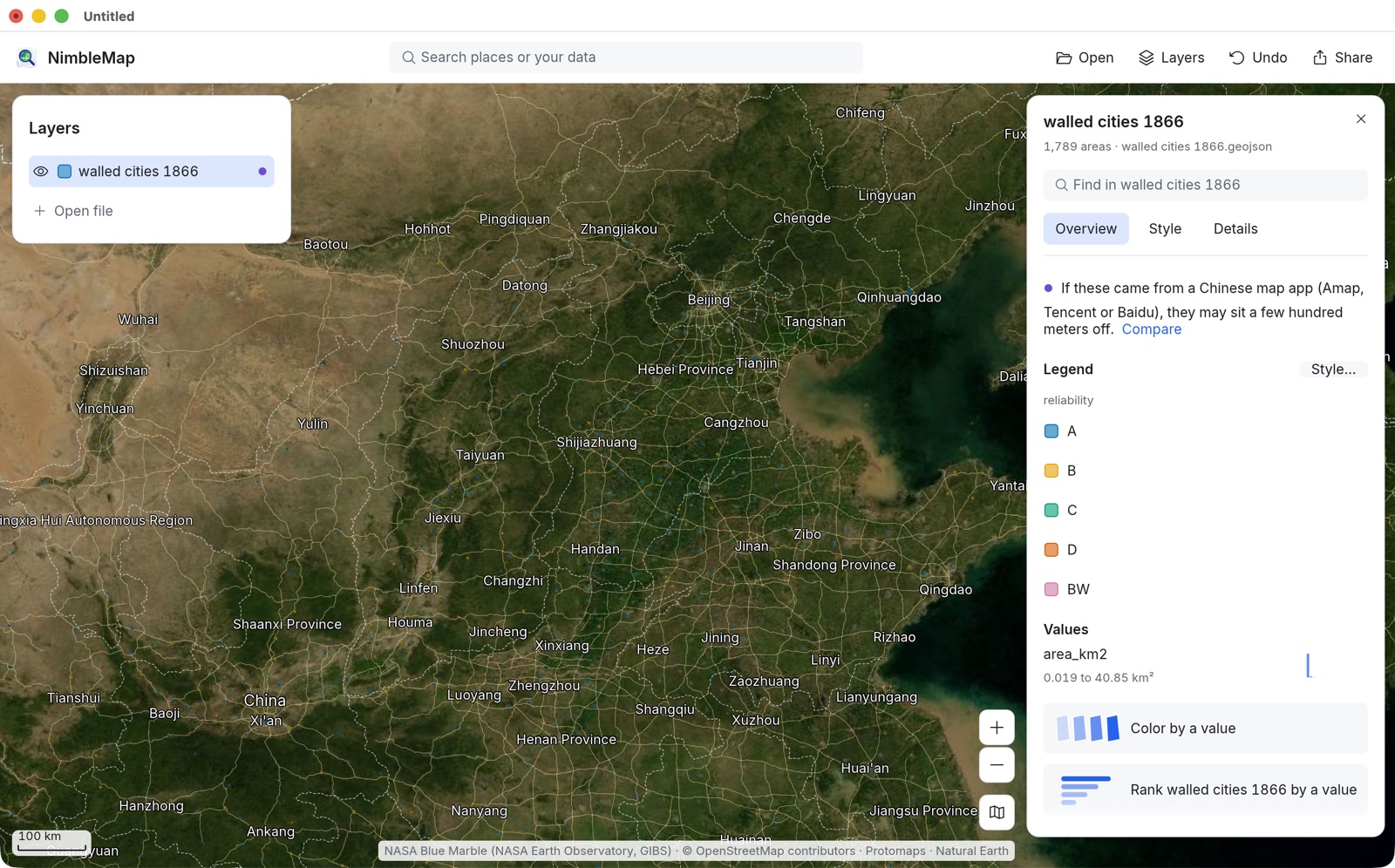
At this distance the walls are small specks: county walls were often under a square kilometre. The satellite imagery is sharp to about city scale. Zoom in further and the app switches to the street map by itself, then back again as you zoom out.
-
Find Beijing and see how big it was
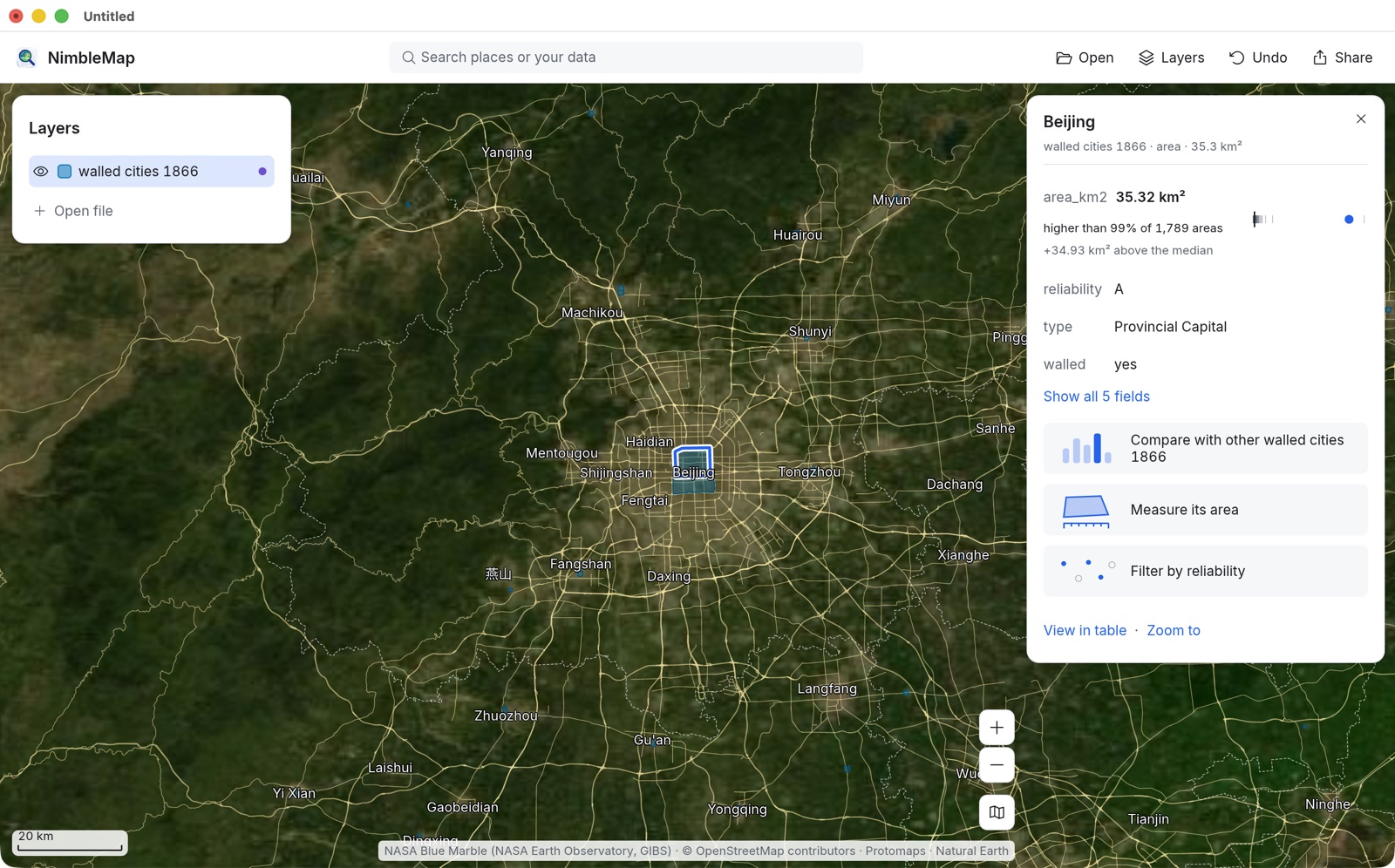
Type Beijing in Find in walled cities 1866 on the layer’s card (or in the toolbar’s search box) and zoom in. Click inside the wall. The card shows its facts and how it compares: area_km2 35.32 km², higher than 99% of 1,789 areas.
-
Rank every walled city
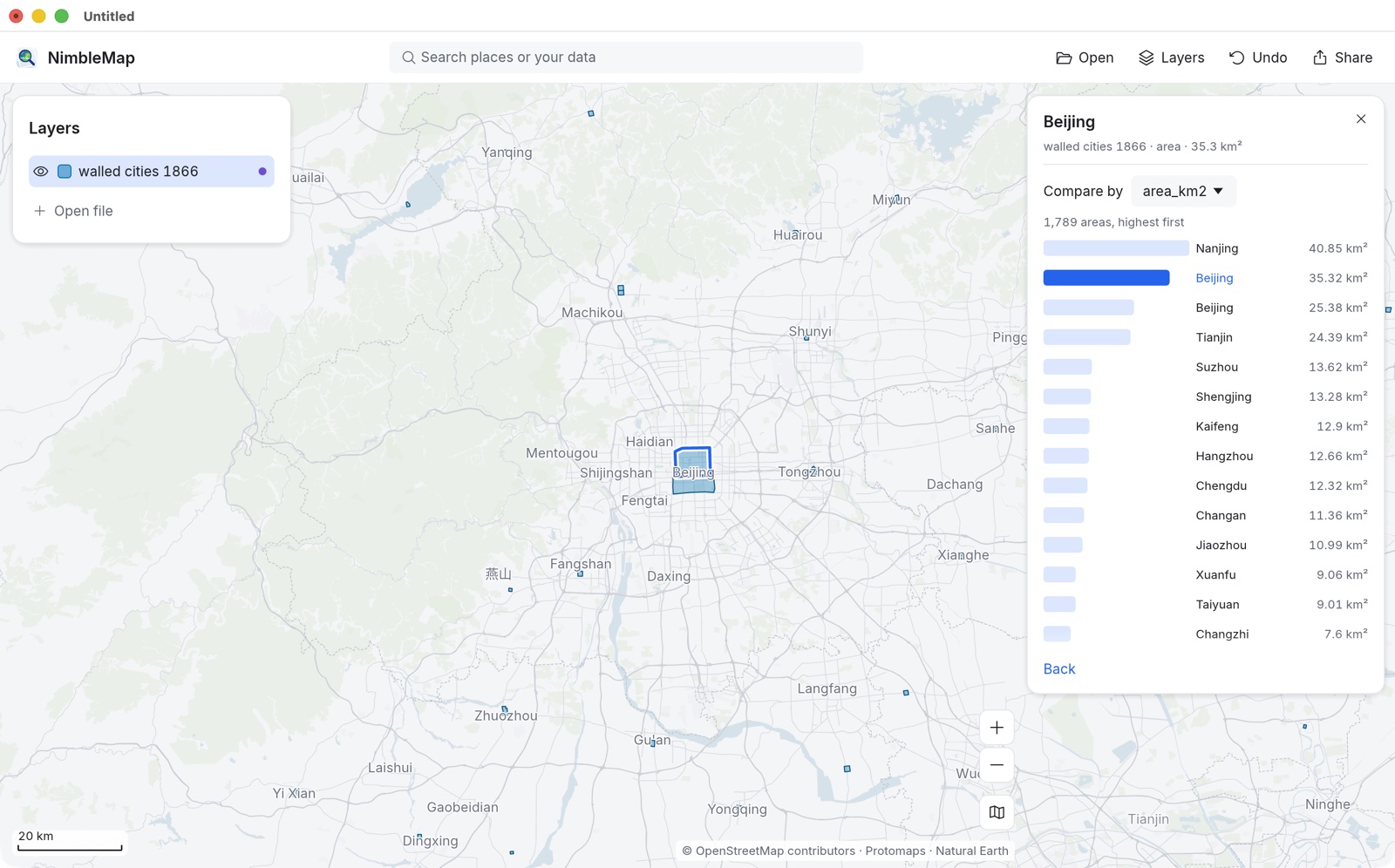
Click Compare with other walled cities 1866. The card turns into a ranked list, 1,789 areas, highest first, with the selected wall highlighted. Nanjing, the old southern capital, tops the list at 40.85 km²; the dataset records two walled areas named Beijing. Compare by switches the field; Back returns to the card.
-
Keep the capitals
Click View in table, then + Filter. Finish the sentence as Show areas where type is any of Provincial Capital; it says 19 match. Add Capital to the same list if you want the imperial capitals too, then click Apply.
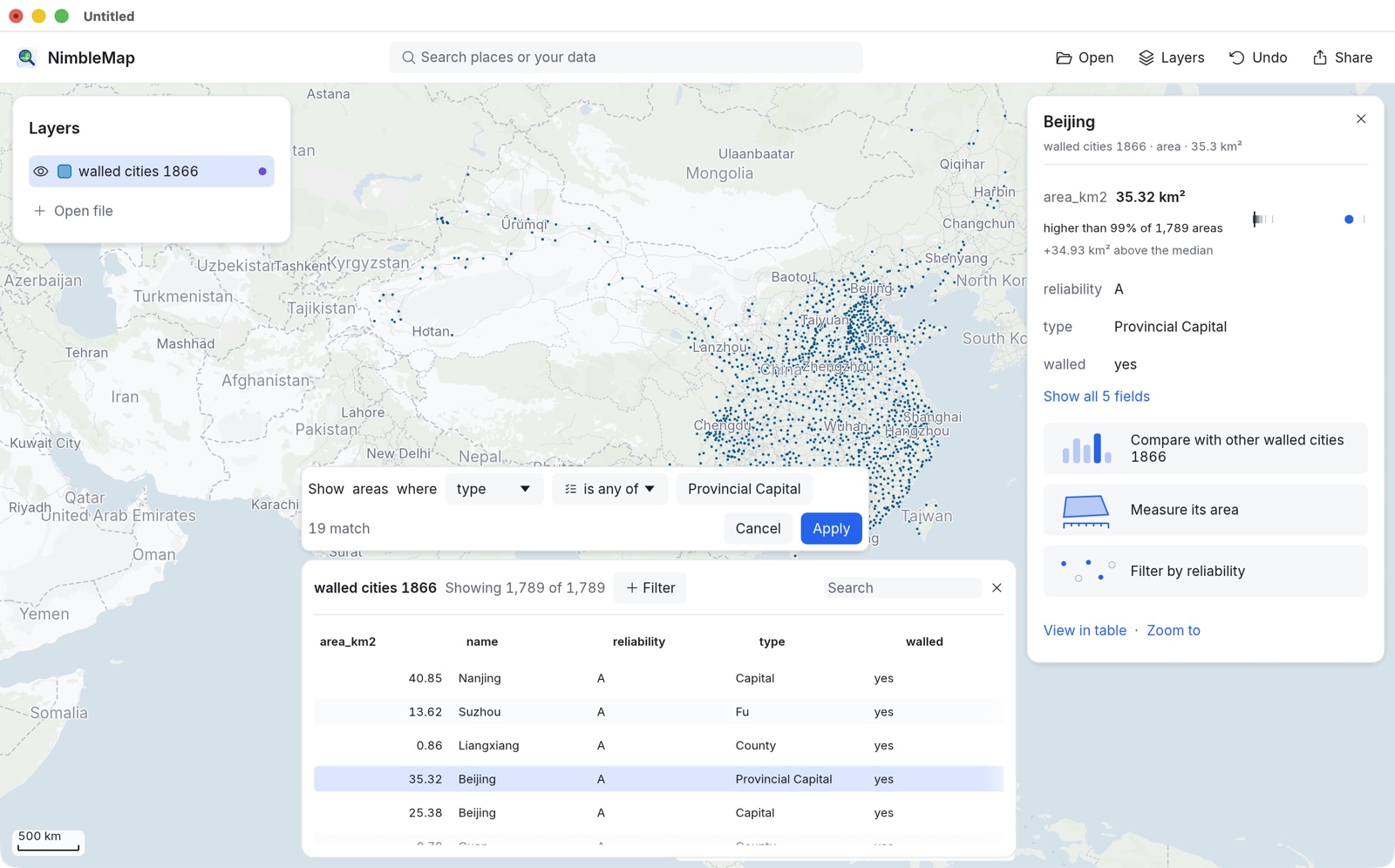
The type field follows the Qing hierarchy: Capital, Provincial Capital, Fu (prefecture), Zhou, Ting, County, and military posts (Wei, Suo, Manchu garrisons). reliability is the dataset’s own grade, A to D; D marks places that had no wall.
-
Colour the walls by type
Remove the filter (× on its chip) to see every wall again, then open the layer’s Style tab and pick type in the Color menu. Each kind of town gets its own colour and the Legend lists them. Raise Opacity or Outline Width so small walls show up on the imagery.
Data: Xue, Q., Jin, X., Cheng, Y., Yang, X., Zhou, Y. (2021). The dataset of walled cities and urban extent in late imperial China in the 15th–19th centuries. Earth Syst. Sci. Data 13, 5071–5085, doi:10.5194/essd-13-5071-2021; CC BY 4.0. Satellite imagery: NASA Blue Marble (NASA Earth Observatory, GIBS). Labels © OpenStreetMap contributors, Natural Earth.