 NimbleMap
Workflow 2 · Free
The 2023 heatwave over time
Summer 2023 broke heat records on several continents. This example holds 92 days of heatwave intensity for the whole world, from 1 June to 31 August. You will play it like a film, stop on a day, read single places, and export the map as an image.
-
Open the example
Click Examples on the welcome card (or File › Open Example) and choose Heatwaves, summer 2023.
The layer heatwaves summer 2023 appears, with its variable named under it: Heat-wave intensity (°C). The card explains the file in plain words: a NetCDF-4 file with one variable on a 720 × 360 grid, Time: 1 Jun 2023 to 31 Aug 2023 (92 steps). Its first line, Treated as measured values (averaged, not summed), is an assumption you can Change.
-
Play the summer
A time slider appears at the bottom of the map because the layer has dates. Press Play, drag the knob, or use Previous step (←) and Next step (→); the arrow keys on your keyboard work too. The date of the day shown, such as 16 Jul 2023, and the step (46 of 92) sit on the right.
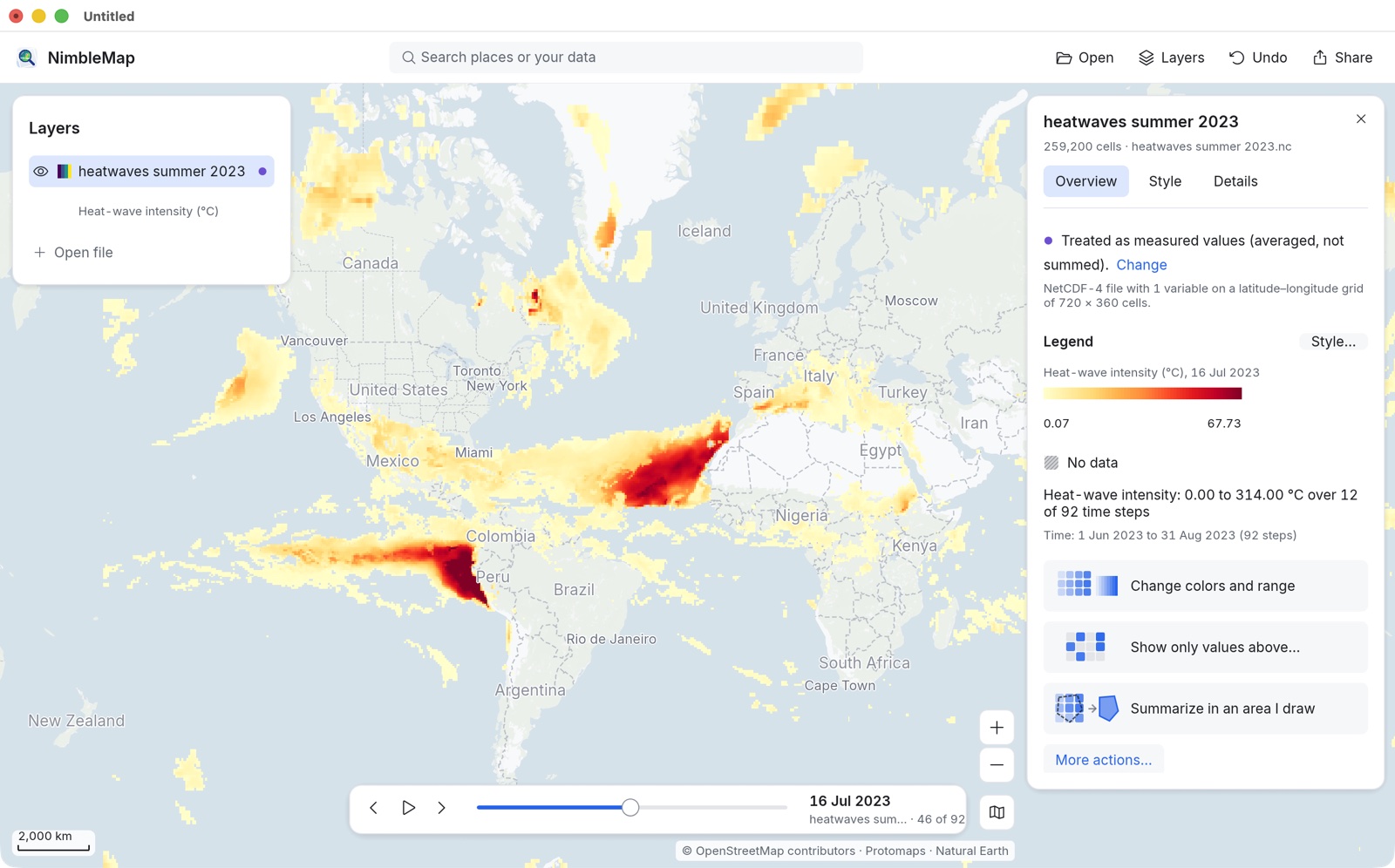
16 July 2023: heat over the Mediterranean, the southern United States, Mexico and China, and strong marine heat off West Africa and South America. The colour range stays the same on every day, so a redder colour always means a stronger heatwave, never just a different scale. The legend names the day: Heat-wave intensity (°C), 16 Jul 2023.
-
Read a single place
Zoom in on a region (scroll or pinch, or type a place in the search box) and click a coloured cell. The card shows the value for that cell on that day, and where it stands: 1.70 °C, lower than 58% of this layer’s cells (estimated from a sample).
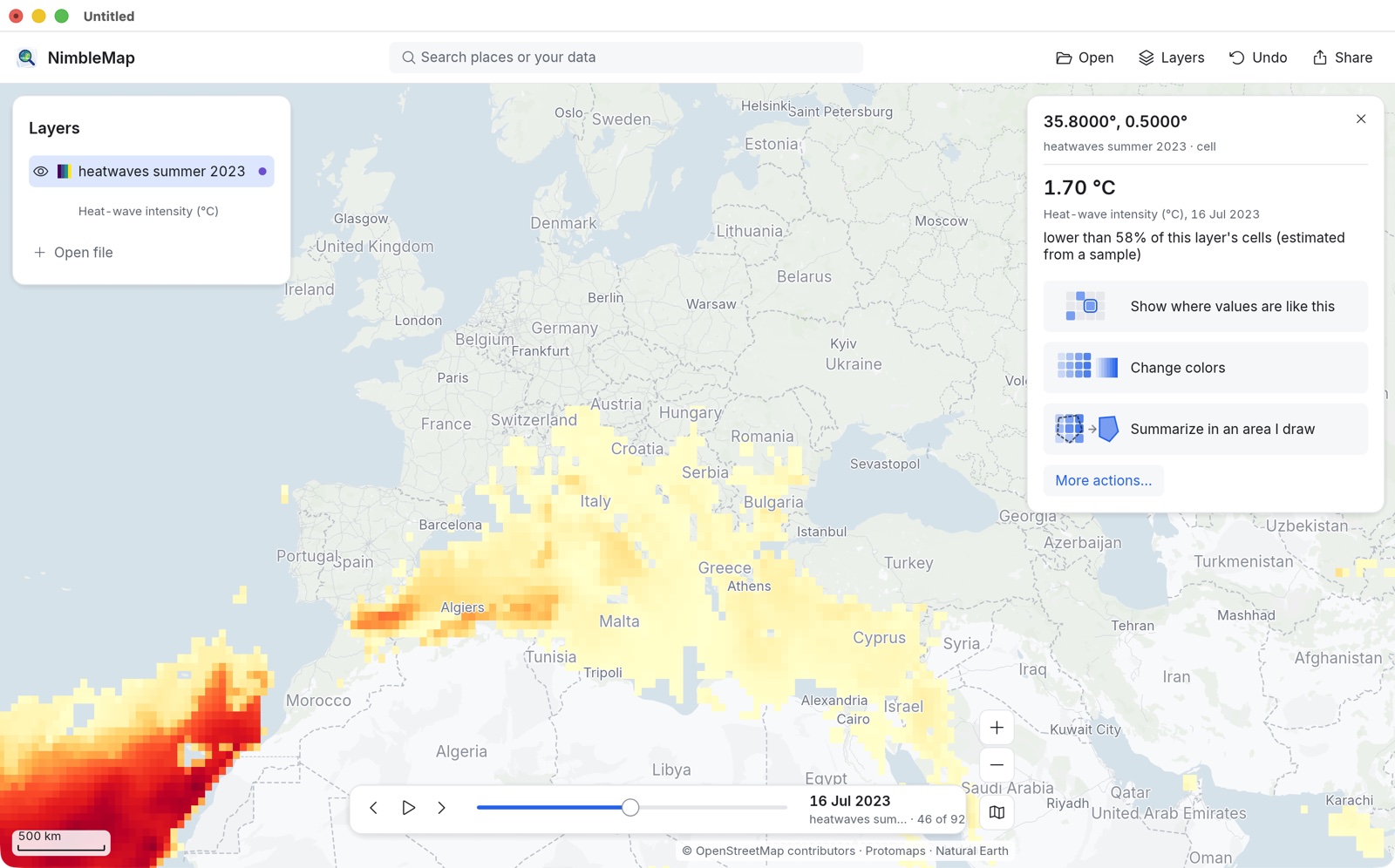
Cells left clear are no data: no heatwave was recorded there that day. Clicking one says No value, This cell has no data. It is not the same as zero.
Each cell is 0.5° across, about 55 km at the equator, so a value describes a big square, not one town. See resolution.
-
Make the hottest places stand out
Click Show only values above… on the layer’s card to grey out everything below a threshold you set, or Change colors and range to pick another Palette or Range in the Style tab. With a cell selected, Show where values are like this highlights every cell with a similar value.
-
Export the map as an image
Stop on the day you want, then click Share › Map image… (⌘E). The sheet shows the image exactly as it will be saved.
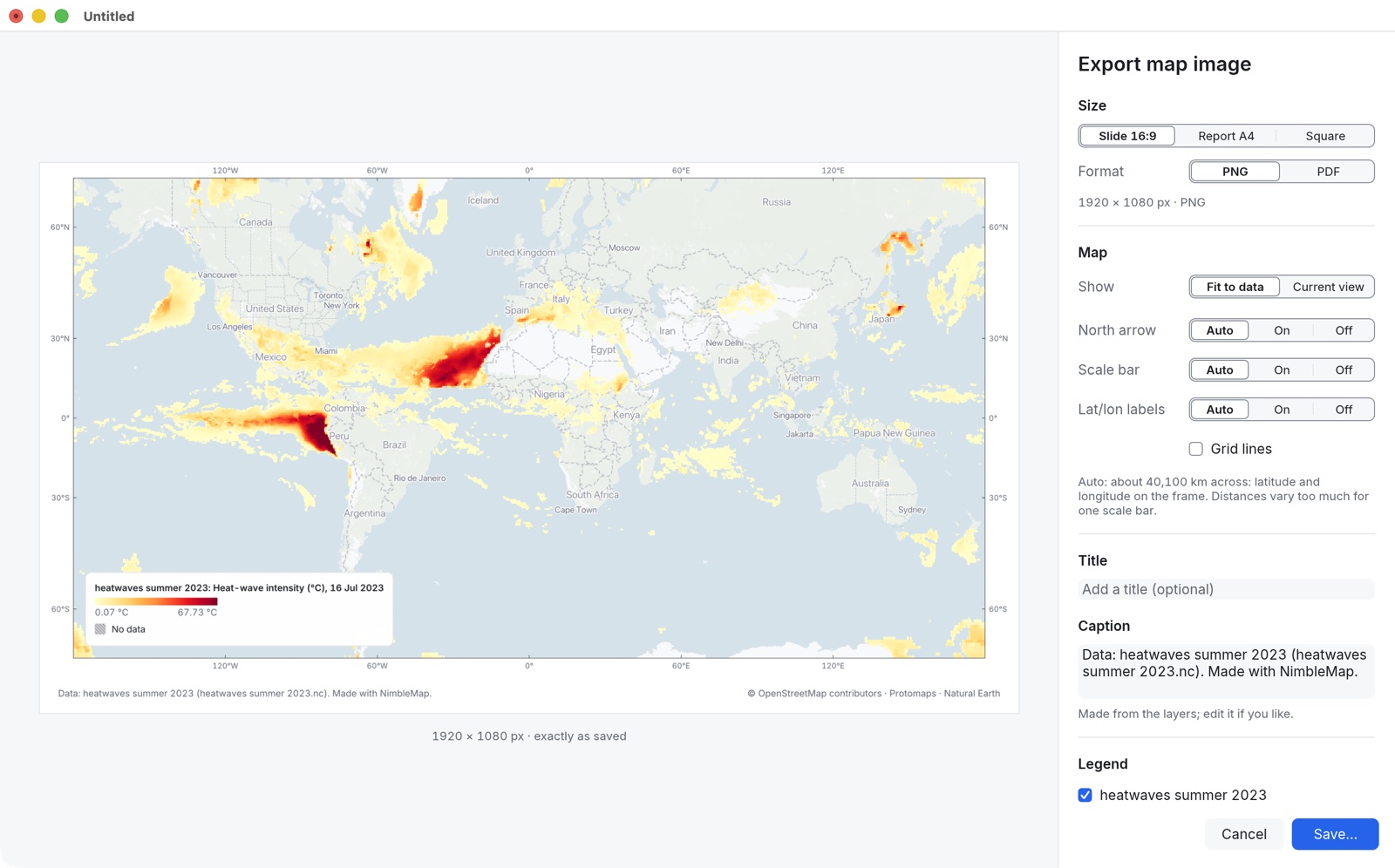
- Size: Slide 16:9 (1920 × 1080), Report A4 or Square.
- Show: Fit to data or Current view (what you see in the window).
- North arrow, Scale bar and Lat/lon labels: Auto picks what suits the map; a world map gets latitude and longitude on the frame instead of a scale bar, because distances vary too much across it.
- Title: for example “Heatwaves on 16 July 2023”. The Caption is written from the layers and credits; edit it if you like.
Click Save… to write a PNG. The legend carries the date, so the picture explains itself when you share it.
Want a sequence? Step to the next day and export again. Each image keeps the same colour range, so the frames compare fairly.
Data: Copernicus Global Drought Observatory (European Commission, JRC), GDO Warm Spell Intensity (ERA5), 2023; © European Union, 1995–2026, CC BY 4.0. Trimmed for NimbleMap to June–August, averaged to 0.5°, days without a warm spell set to no data. Basemap © OpenStreetMap contributors, Protomaps, Natural Earth.